QueryTracker Blog

Helping Authors Find Literary Agents
Showing posts with label yWriter. Show all posts

Monday, February 4, 2013

Scrivener or yWriter: why I use neither

We've heard why Carolyn uses yWriter and why Sarah uses Scrivener. I'm going to join in with my cutting-edge technology. Well, cutting-edge from several centuries ago: why I write with a fountain pen on paper.

And before you say, "Wow, look at the time! It's 2013!" and turn back to your computer (thank you, Regretsy) I'll state for the record that I switched back to using a notebook after drafting four books on my computer. I'm not afraid of the machine, but I also know its limits. And mine.

So, why pen and paper?

1) Portability. If you're hanging out in the karate studio waiting area where there are more parents than seats, you don't want to be writing on a device that takes up any more room than your lap. Same goes for the subway. It's far easier to hunch over a notebook-of-paper than a notebook computer. And if you drop it or one of the kids steps on it, no biggie. (Don't try that with your MacBook Pro.) Just throw it in your hand bag or diaper bag or backpack, and you can write wherever you want. You also don't need to bring your charger.


2) Cost. The one I'm writing in now sports a thirty-eight cent price tag on the cover. 

3) Aesthetics. And it's maroon. The next one in the lineup? Is green. Deep forest green. It puts me in a meditative mood. My daughter has a sparkly tie-dye notebook for her first novel. She says it's groovy. I didn't know anyone still used the word "groovy," and if I hadn't let her pick out a notebook, I still wouldn't know. See? Paper enhances your vocabulary!

4) Quirkiness.  There's something awesome about holding a bottle of ink (or a ball point pen) and thinking to yourself that your entire novel is in there already, waiting for you to stretch it out. 

Or buying purple pen refills, telling yourself that finally you have a reason for all that purple prose.

Okay, all kidding aside, let's get to my most important reason:

5) Emotional intimacy. The key to writing a novel that stays with the reader is the emotional story, so it's vital not to let anything impede those emotions. I found for myself that while typing, I was losing contact with the emotions in the interests of hitting my word count or even just because there was more physical distance between me and the words. When I picked up the pen and wrote the same story, the emotions came through with much less inhibition.

Quite possibly because I associate the computer with blogging, letter-writing, and business interactions, I found myself typing up sterilized, numb stories. My thirty-eight cent notebook, despite not having Many Cool Features, never got in the way. The ink flows from the pen, and my hand is in contact with the pen and the page. (My husband knows I'm not a jewelry person, but if he ever wants to give me a romantic gift, it's a fountain pen.)

And finally,

6) Enforced editing. You cannot submit your first draft anywhere when it's hand-written. You cannot scene-bomb your critique partners, and you cannot query your unedited manuscript. You have one enforced edit-through because in order to share it, at some point you need to type the manuscript into some sort of word processing program. And while typing over every single word, you're going to catch things you'd gloss over if merely re-reading it (such as that ninety-six word sentence. Or the fact that the characters rolled their eyes five times in two pages. Not that I'm totally guilty of these first-draft gaffes.) 

Moreover, when you have to hand-write and then re-type your entire manuscript, you're going to notice the five-thousand-word-long road trip in which nothing happens, and you'll wonder why it's so important that you have to spend over an hour typing it. (I type at 100wpm, but even at that speed -- fifty minutes. Really? Do we really need that scene?) It's my opinion that the explosion of 500-page novels happened at the same time as the advent of the word processor, and it's not always a good thing.

I wait until the end and retype my whole manuscript at once. A friend of mine writes three chapters at a time and then starts typing up a chapter for every new chapter she writes, so she's always typing about three chapters behind where she's written. Whatever works is best.

And that's the final key: whether you find a fountain pen makes you feel more intimate with your characters or whether you want a program to shuffle virtual index cards, try multiple methods until you find the solution that works for your writing. And then don't be afraid to switch around as your projects demand. Your tools don't have to be cutting-edge as long as your method supports your creativity. For linear writers who need mobility, the best solution may be the good old-fashioned way.

---
Jane Lebak is the author of The Wrong Enemy. She has four kids, two cats, and one husband. She lives in the Swamp and spends her time either writing books or ejecting stink bugs from the house. At Seven Angels, Four Kids, One Family, she blogs about what happens when a distracted daydreamer and a gamer geek attempt to raise a family. If you want to make her rich and famous, please contact the riveting Roseanne Wells of the Jennifer DeChiara Literary Agency. 

Wednesday, January 2, 2013

Why I Use yWriter (Writer Software)

yWriter icon by The Madd Hatter
In December, QueryTracker Blogger Sarah Pinneo talked about why she uses the Scrivener writing software. Of course, there’s other software out there, so today I’m going to share my experiences with another option—yWriter.

yWriter was developed by an author/programmer, and it’s a PC-based freeware alternative to Scrivener (that will, according to the creator, “also run on GNU/Linux and Mac OS X using Wine”).  And by free I mean FREE: it costs nothing and has no ads, popups, unwanted toolbars, or other annoyances to interfere with your work.  It also has bunches of little bonus tools (discussed further below) that you won’t find with a lot of other software. For example, if you don’t want to work in English, you can switch over to everything from Spanish and Hebrew to Russian or Chinese.

Like Sarah, I was reluctant to try writing software, stymied as to how it could help me. But the two methods I was using to brainstorm—writing on an old-fashioned notebook tablet PC or using physical notecards—had problems. My tablet PC is so old it’s slooooow, and I kept dropping and losing my notecards. Trying to outline something on a regular word processor or in a spiral-bound notebook was a nightmare for me. I like to move things around. A lot. And I couldn’t see everything at once, so it was hard for me to figure out where things went best. yWriter helped me with all of those things.

Getting Started

You begin in yWriter with a new Project. A project wizard helps you set up the project, prompting you for your project title, your name, and where you want to store your files. Rather than working at the chapter level, yWriter has you create a chapter and then each scene within the chapter. You can name the chapters anything you want (e.g. Chapter 1, or How It Began). The software encourages you to use descriptive titles for scenes, which makes it easy to see what’s going on in each chapter. It also tracks how many words you’ve written in each scene, along with totals for each chapter. You can easily drag and drop scenes within a chapter or between chapters.

The main project window, with chapter list on the left and scenes on the right.
Click on any image in this post to enlarge it.

Double-click on a scene and you enter a word processing window where you can actually write the scene. As with Scrivener, scenes and chapters can easily be compiled into a single document. Below the word processing window there’s a place to identify the viewpoint character and an area for scene notes.


Along the top are pulldowns and tabs that allow you to dig deeper into characters, locations, items, character goals, timeline, and so on.

Locations list on the left; location image (Pittsburgh airport) on the right.

Features

I don’t usually spend a lot of time creating character profiles and such (I’m more likely to give my characters personality tests), but I found that I like having a place that lists my cast of both major and minor characters and shows me how many viewpoint scenes they have. Each character section includes places you can write a bio, explore goals, include a picture, and take notes for each character. There are similar tabs for locations and items, and you can tag any entry with appropriate terms.

The storyboard places scenes on a series of character timelines, so you can see who has the proverbial ball when. The scene cards can be dragged and dropped, and you can double-click on a card to edit all of its details.


For those writers who like to create 24-like stories, you can even use the software to track to the minute when a scene begins, as well as how long it lasts.


The program will also please NaNoWriMo writers: yWriter keeps track of how fast you’re typing and automatically logs how many words you’re writing each day. It also lets you set word count goals.


You can easily search the entire project with the built-in Search function, and you can also define and identify “problem words” (for example,  -ly words). There’s also a word usage count that lets you see how many times you’ve used particular words.


An auto-backup feature makes it difficult to lose something you’ve been working on, which is fantastic for people who forget to back up frequently as they work. Since the software creator is a programmer, he’s included the ability to automatically back up to your email or an FTP site as well as locally.

You can export everything: scenes, scene cards, scene notes, characters, project notes, synopses, chapters, character lists…and on and on.

It’s Free!

As noted above, the software is free. If you like it, you’re encouraged to register it, which essentially means you donate a reasonable amount (right now, about $12 or about $25) to support the programmer and his time.

I have very few complaints about the software. (And it’s free, so they aren’t vociferous complaints!) One is that I would like to be able to include more than one picture for a scene, character, location, etc. The program also tends to shrink the pictures when I’d prefer them large.

Also, the character goals section is set up based on Dwight Swain’s Techniques of the Selling Writer. Since I haven’t read the book, it took some Googling for me to figure out what I was supposed to do with it. You could probably make Blake Snyder’s Save the Cat! and Save the Cat Strikes Back techniques work in those areas, though, if you’re familiar with those.

The Goals section, based on Swain's book.

Instruction, Help, and Support

If you’re the kind of person who likes instructions and tutorials to help them with new software, there’s an optional sample project included with the install, as well as a Quickstart Guide, a Wiki, a comprehensive help file, group support, and plenty of other resources.

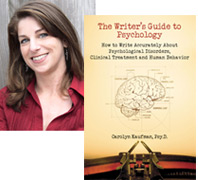
Carolyn Kaufman, PsyD's book, THE WRITER'S GUIDE TO PSYCHOLOGY: How to Write Accurately About Psychological Disorders, Clinical Treatment, and Human Behavior helps writers avoid common misconceptions and inaccuracies and "get the psych right" in their stories. You can learn more about The Writer's Guide to Psychology, check out Dr. K's blog on Psychology Today, or follow her on Facebook